

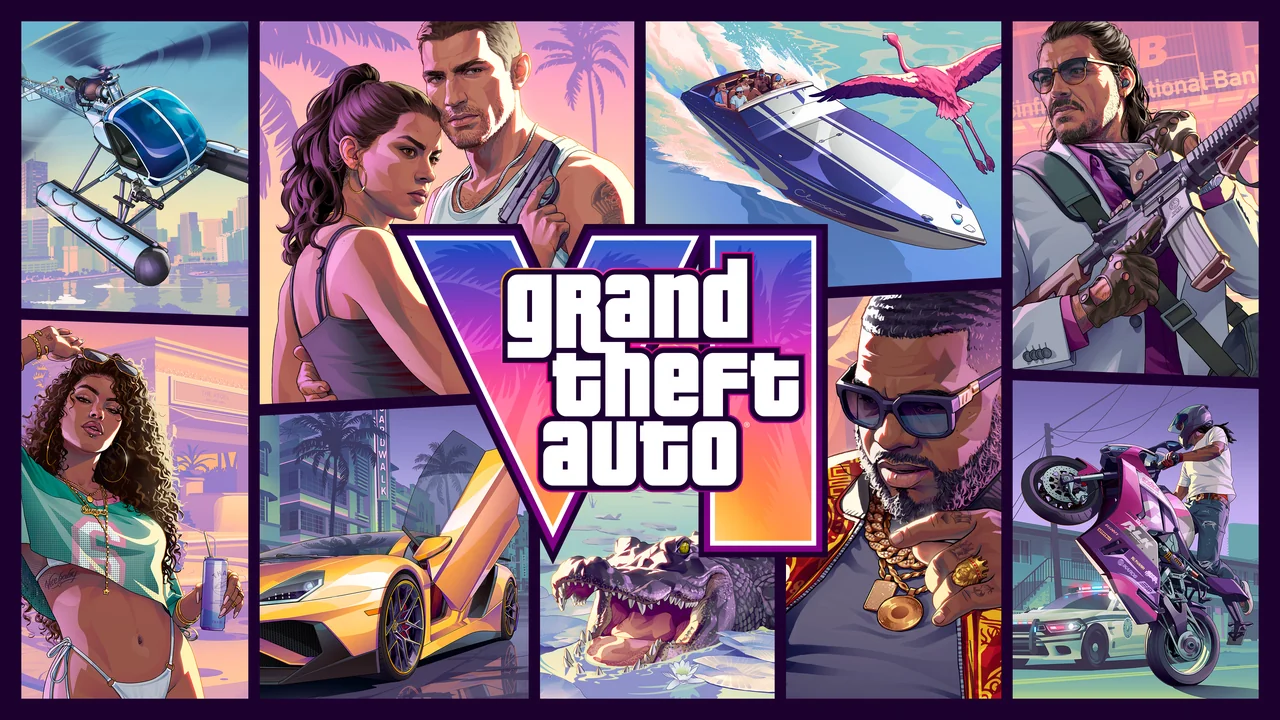
The short answer
GTA 6 is out now on PS5. It launched today, 19 November 2026, on PS5 and Xbox Series X|S, with a midnight local unlock. Pre-orders are closed, so you buy it now like any other game. Open the PlayStation Store, search for Grand Theft Auto VI, and pick Standard for $79.99 or Ultimate for $99.99. Pay, and the download starts. You need up to 212 GB free. If you bought a boxed copy, there is no disc inside. You redeem a code instead.
- How do I buy GTA 6 on my PS5?
- How do I buy GTA 6 on the PlayStation App?
- How do I buy GTA 6 on the web store?
- How do I redeem a code-in-box copy?
- Which payment methods does the PS Store take?
- What do I need before I buy?
- Can I get a refund or cancel?
- What is the launch-day bonus deadline?
- Should I buy it on PS5 or PS5 Pro?
- Frequently asked questions
- Sources
How do I buy GTA 6 on my PS5?
The console store is the simplest route. You buy it, it appears in your library, and the download starts. Use the account you play on. That matters later if you ever need a refund or want to check your purchase history.
- Open the PlayStation Store on your PS5 and sign in with the account you play on.
- Search for Grand Theft Auto VI. Make sure you pick the full game, not an add-on or a different GTA title.
- Choose Standard for $79.99 or Ultimate for $99.99. Standard is the full base game. Ultimate is digital only and adds the Ultimate Edition Upgrade content.
- Confirm your payment. Check the price and the edition one last time before you pay.
- Find the game in Game Library, then Purchased. The download starts immediately if auto-download is on. If it does not start, start it from your library.
- Wait for the download to finish. You need up to 212 GB free, so clear space first if your drive is nearly full.
The game unlocked at midnight local time on 19 November 2026. That means most players could start playing as soon as the download finished on launch day. There is no extra unlock step after you buy it. If you bought it earlier in the day and the download is done, you can play.
Do not buy it twice. Check Game Library first if you are not sure whether a purchase went through. A failed payment can look like a missing game. Your purchase history in the store will show it if the payment worked.
How do I buy GTA 6 on the PlayStation App?
The PlayStation App gives you the same store on your phone. It uses the same account as your console. You can buy the game away from your PS5 and send the download to your console.
Open the app and sign in with the same account you use on your PS5. Go to the store in the app and search for Grand Theft Auto VI. Pick Standard for $79.99 or Ultimate for $99.99, then confirm your payment in the same way you would on the console.
After you buy it, you can trigger a remote download to your console. That is useful if you want the game ready when you get home. Your console needs to be set up for remote downloads, and it needs enough free space. The download is the same size as on the console, up to 212 GB.
The price is the same in the app as on the console. The edition choice is the same too. If a price looks different, stop and check that you are signed in to the right account and the right region. A different account can mean a different store region and a different price.
How do I buy GTA 6 on the web store?
You can also buy it in a browser at store.playstation.com. This works on a phone or a computer. Sign in with the same PlayStation account you use on your PS5.
- Go to store.playstation.com and sign in with your PlayStation account.
- Search for Grand Theft Auto VI.
- Choose Standard for $79.99 or Ultimate for $99.99.
- Confirm your payment and check the edition before you finish.
- Open your PS5 and find the game in Game Library, then Purchased. Start the download if it has not started already.
The web store is a good option if your console is off or you are buying for someone in your household. Just make sure you sign in to the account that will play the game. A purchase on the wrong account is hard to move. It stays with the account that bought it.
The web store also lets you redeem a code. Click your avatar, then choose Redeem Code. That is the web version of the console redeem steps in the next section.
How do I redeem a code-in-box copy?
The physical version of GTA 6 has no disc. The box holds a download code. You buy the box in a shop, then you redeem the code on your PS5 or on the web. The download after that is the same as a digital purchase. You still need up to 212 GB free.
The boxed version is Standard only. There is no boxed Ultimate Edition. If you want the Ultimate Edition content, buy the digital Ultimate Edition for $99.99, or buy Standard and add the Ultimate Edition Upgrade for $20 later.
- Open the PlayStation Store on your PS5.
- Press Triangle, then choose the More option, marked with three dots.
- Choose Redeem Code.
- Enter the code from inside the box. Check each character before you confirm.
- Confirm the code. The game will appear in your library and the download will start.
You can also redeem it on the web. Go to store.playstation.com, click your avatar, and choose Redeem Code. Enter the code there. Then start the download from your PS5.
PS codes are region-locked. A US or Canada box goes with a US or Canada account. A UK box goes with a UK account. A code from one region will not work on an account from another region. Check the region on the box before you buy it, and check your account region before you redeem it.
Keep the code safe until the download starts. Do not share a photo of it. Anyone with the code can redeem it. If the code does not work, check for a typing error first, then contact the shop that sold it to you.
Which payment methods does the PS Store take?
The PlayStation Store takes cards, wallets and gift cards. The exact list varies by region. The list below is for the US store. Your region may differ, so check the payment page for your own store if a method is missing.
| Payment method | What to know |
|---|---|
| Visa, Mastercard, American Express and Discover | Your card region must match your account region. A card from another region may fail. |
| PayPal and Venmo | You can pay with a linked PayPal or Venmo account. The region must still match your account. |
| Apple Pay and Cash App Pay | These are accepted on the US store. They may not be listed in every region. |
| PS Store wallet | Wallet funds are used first at checkout. Top up the wallet before you buy if you want to use it. |
| PS Store gift cards | Gift cards add funds to your wallet. The gift card region must match your account region. |
You can save up to 3 cards and 1 saved payment service on your account. Wallet funds are used first at checkout, before a card is charged. If your wallet covers the full price, your card is not charged. If it covers only part of the price, the rest comes from your chosen payment method.
If a payment fails, check the region first. A card region that does not match the account region is a common cause. Also check that the card has enough funds and that the details are correct. Do not keep retrying the same failed card. Fix the cause first, or use a different method.
What do I need before I buy?
Three things matter most before you pay: storage, account region, and your subscription status. Sort them first and the purchase takes minutes.
You need up to 212 GB free. That is a large download. Check your PS5 storage before you buy. Delete games you no longer play, or move them to extended storage if you have it. A full drive will stop the download partway through, and you will have to clear space and start it again.
Your account region matters too. Your payment method and any gift card must match the region of your PlayStation account. This is the rule that catches most people out. It also decides which store prices you see and which boxed code you can redeem.
There is no Pakistani PlayStation Store. Pakistani players use a foreign-region account, commonly a UAE account, with a payment method or gift card that matches that region. If you use this route, keep the account region and the payment region the same. Do not mix a UAE account with a gift card from another region.
You do not need PS Plus to play GTA 6. The game is a single-player experience at launch. No online mode has been announced. You can buy it and play the story with no subscription. That may change if an online mode arrives later, but at launch there is nothing extra to pay for.
Can I get a refund or cancel?
It depends on when you paid and whether you started the download. Starting the download ends your right to a refund. That includes a pre-load. Once the files start downloading, PlayStation treats the purchase as used.
If you paid more than 14 days before release, you could cancel at any time before release for a refund. That window has now passed, because the game launched on 19 November 2026. If you paid within 14 days before release, you can cancel within 14 days of the payment date. Check the date you paid to see where you stand.
If you buy it today, on launch day, the same rule still matters. Do not start the download if you think you may want a refund. Decide first, then download. Auto-downloads can start the download without you noticing. Turn them off if you are unsure and want to keep the refund option open.
To cancel, go through PlayStation Support. Have three things ready before you contact them: your Online ID, the sign-in email for your account, and the name of the purchase. That is GTA 6, plus the edition you bought. Support will check the payment date and whether the download started.
A refund is not guaranteed in every case. The timing and the download status decide it. If you already started the download, PlayStation will usually say no. That is why the order matters: check the edition and the price before you pay, and hold off on the download if you are not sure.
What is the launch-day bonus deadline?
Any copy bought before 23:59:59 on 19 November 2026 gets the Vintage Vice City Pack. That is the launch-day bonus. The deadline is tonight. If you buy after midnight, you miss it. The pack applies to any copy bought before the deadline, digital or boxed.
Buy early in the day if you want the pack. Do not leave it until the last hour. The store can be slow on launch day, and a payment that finishes after the deadline may not count. A completed purchase before 23:59:59 is what matters.
There is also a note about GTA+. One free month of GTA+ was described as a digital pre-order benefit. It is TBC whether it still applies to purchases made on launch day. Do not count on it when you buy today. If it applies, it will show up as part of the purchase. If it does not, you have not lost anything you paid for.
The Vintage Vice City Pack is the confirmed launch-day bonus. The GTA+ month is not confirmed for launch-day purchases. Keep the two separate in your mind. One has a clear deadline. The other is still to be confirmed.
Should I buy it on PS5 or PS5 Pro?
It is the same game at the same price on both consoles. Standard is $79.99 and Ultimate is $99.99 whether you play on a PS5 or a PS5 Pro. You do not pay extra for the Pro version. There is no separate Pro edition to buy.
The PS Store lists GTA 6 as PS5 Pro Enhanced. That label means the Pro runs the game with better image quality. It does not mean a different game or a higher frame rate. Rockstar confirmed the game targets 30 FPS on all consoles. There is no 60 FPS mode, even on PS5 Pro.
That 30 FPS target is firm. Rockstar said the Pro CPU is not powerful enough to run the game simulation at higher frame rates. So do not buy a PS5 Pro just for GTA 6 expecting 60 FPS. You will not get it. The Pro advantage is image quality only.
| Console | Price | Frame rate | What the Pro adds |
|---|---|---|---|
| PS5 | $79.99 Standard, $99.99 Ultimate | Targets 30 FPS | The base game, same as Pro |
| PS5 Pro | $79.99 Standard, $99.99 Ultimate | Targets 30 FPS, no 60 FPS mode | Image quality only, listed as PS5 Pro Enhanced |
If you already own a PS5 Pro, buy the game and play it there. You get the better image quality at no extra cost. If you own a standard PS5, there is no need to upgrade for this game alone. The story, the missions and the map are the same on both.
Frequently asked questions
Is GTA 6 out now on PS5?
Yes. GTA 6 launched on 19 November 2026 on PS5 and Xbox Series X|S. It unlocked at midnight local time. Pre-orders are closed. You buy it now on the PlayStation Store, the PlayStation App, or the web store.
How much is GTA 6 on PS5?
Standard is $79.99 and Ultimate is $99.99 in the US store. The price is the same on PS5 and PS5 Pro. The boxed version is Standard only. The Ultimate Edition is digital only.
Does the boxed copy of GTA 6 have a disc?
No. The box holds a download code only. There is no disc inside. Redeem the code in the PlayStation Store, or on the web store, and download the game. You still need up to 212 GB free.
Do I need PS Plus to play GTA 6?
No. GTA 6 is a single-player game at launch. No online mode has been announced. You do not need PS Plus, or any other subscription, to play the story.
Can I buy GTA 6 on the PlayStation App and play it on my PS5?
Yes. The app uses the same store and the same account as your console. Buy it in the app and trigger a remote download to your PS5. Make sure your console has enough free space first.
What if my boxed code does not work?
Check the region first. PS codes are region-locked. A US or Canada box works with a US or Canada account. A UK box works with a UK account. Also check for typing errors. If it still fails, contact the shop that sold you the box.
Sources
- Grand Theft Auto VI, Now Available — Rockstar Games — https://www.rockstargames.com/VI — Read 19 November 2026
- How to buy GTA 6 on PS5 — How To Video Game — https://howtovideogame.com/?p=22432 — Read 19 November 2026
- Payment methods accepted on PS Store — PlayStation Support — https://www.playstation.com/en-us/support/store/payment-methods-accepted-on-ps-store/ — Read 19 November 2026
- Buy GTA 6 PS5 digital — GeekGamingTricks — https://geekgamingtricks.com/buy-gta-6-ps5-digital/ — Read 19 November 2026
- GTA 6 download — GTA Explained — https://gtaexplained.com/gta-6-download/ — Read 19 November 2026
- GTA 6 pre-order — GTA 6 Geek — https://gta6geek.com/gta-6-pre-order/ — Read 19 November 2026
More guides
- How to buy GTA 6 on Xbox Series X|S
- GTA 6 price: how much does GTA 6 cost?
- GTA 6 Standard vs Ultimate Edition
- How to clip GTA 6 on PS5
- GTA 6 launch week clipping checklist


5 comments