
With the COVID-19 pandemic still ongoing, we are wearing masks more than ever. And that’s a real problem when Apple’s only biometric phone unlocking technology, Face ID, is designed to see your face. But it’s not just N95 masks and global pandemics…those living in winter climates often have their lower face covered as well.
In iOS 15.4 (currently in beta), Apple is adding the ability to use Face ID while wearing a mask. It’s optional, and Apple advises that Face ID is more secure when using a full face scan, but it’s a great solution. Is that how it works.
Face ID with a mask in iOS 15.4: Compatibility
While Apple has been making iPhones with Face ID since iPhone X in 2017, Face ID with Mask is limited to iPhones with the A14 Bionic processor, so you’ll need an iPhone 12, 12 mini, 12 Pro, 12 Pro Max, or iPhone 12. an iPhone 13, 13 mini, 13 Pro or 13 Pro Max.
Face ID with a mask in iOS 15.4: configuration
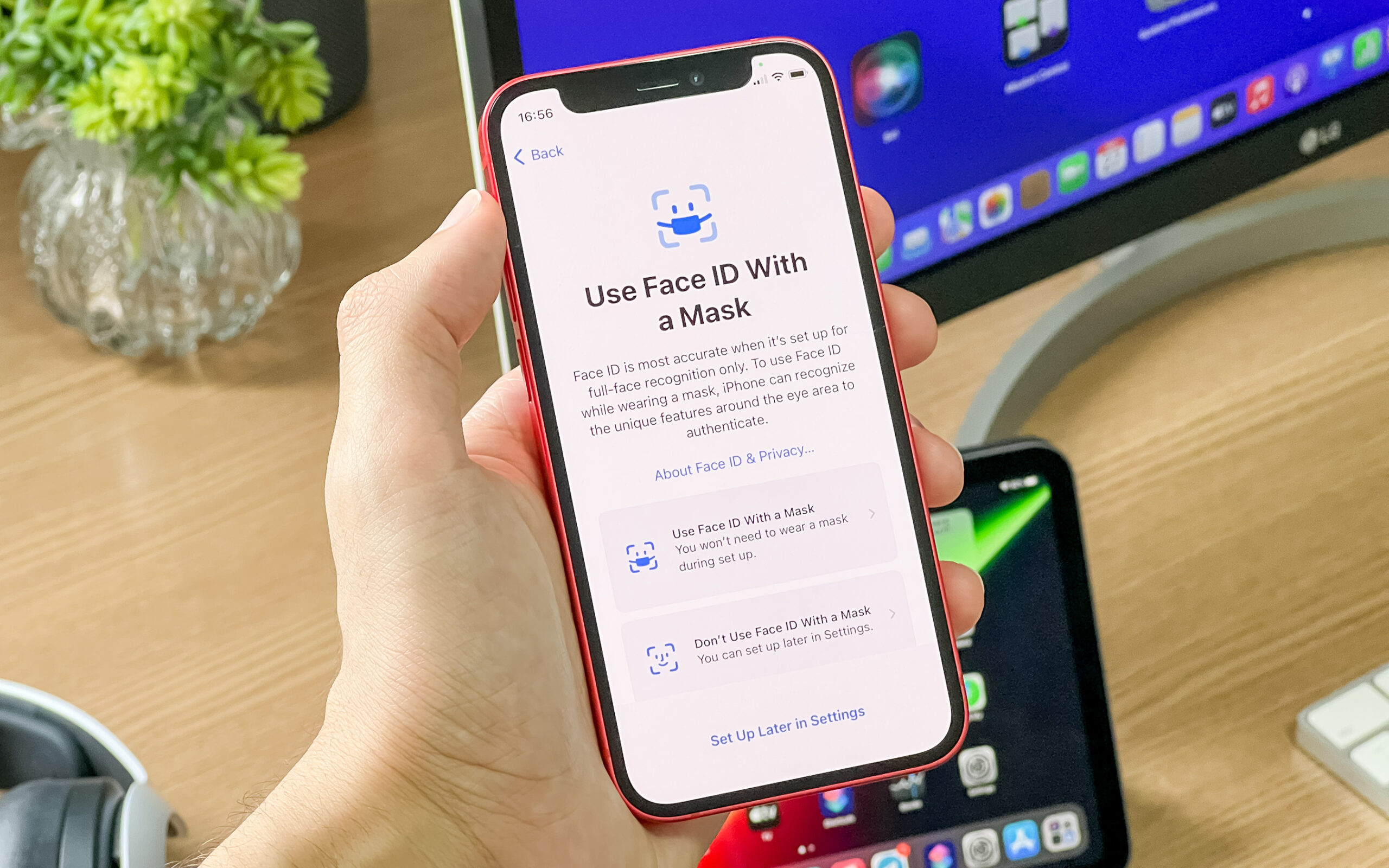
When you start your iPhone for the first time after updating to iOS 15.4, you will probably be asked whether you want to use Face ID with a mask or not. If not, or if you want to set it up later, follow these steps:
- Open settings
- Press on Face ID and password. You will need to enter your password to access this menu.
- Scroll to Use Face ID with a mask and activate it.
After turning it on, you’ll be prompted to start the Face ID setup process again, where you place your face in the center of the camera frame and slowly look around. Your iPhone does another analysis of your face, this time using more data points around your eyes and the upper part of your face, ignoring the lower part that a mask would cover. You don’t have to wear a skin during this additional setup process, but the scanner acts as if it is.
If you frequently wear glasses while using your iPhone, you will be prompted to remove them during the second scan. You can also add additional scans with every pair of glasses you wear often (though sunglasses don’t yet support Face ID with a mask). Tap Add Glasses and you’ll be prompted to perform another scan, this time with your glasses on. For best results, repeat this process with each pair of glasses you commonly wear while using your iPhone.
Once set up, Face ID will recognize your face when you try to unlock your iPhone while wearing a mask. The Masked Face ID feature is just an enhancement to the normal Face ID setup process and there is no noticeable difference in speed or reliability. It doesn’t change or restrict how or when Face ID is used, and third-party apps and services don’t have to support it. This way, you can use Face ID with a mask (and/or glasses) every time you use Face ID, whether it’s to unlock your iPhone, enter passwords, use Apple Pay, etc.
Unlock your iPhone with Apple Watch
In iOS 14.5, Apple added the ability to automatically unlock your iPhone if you wear your paired Apple Watch (and your watch is unlocked).
We have a guide on setting up unlock with Apple Watch, it’s a separate setting in Face ID & Passcode, but you should be aware that this is only a method to unlock your iPhone, not to authenticate people. applications, autofill forms or passwords. , make payments or anything else.
If You are Interested to read the Latest Trends of the World Let’s Explore Chat GPT Login


